# Project Profile

<figure><img src="/files/HxKkSMQ7ldeiDLilUsrc" alt=""><figcaption></figcaption></figure>

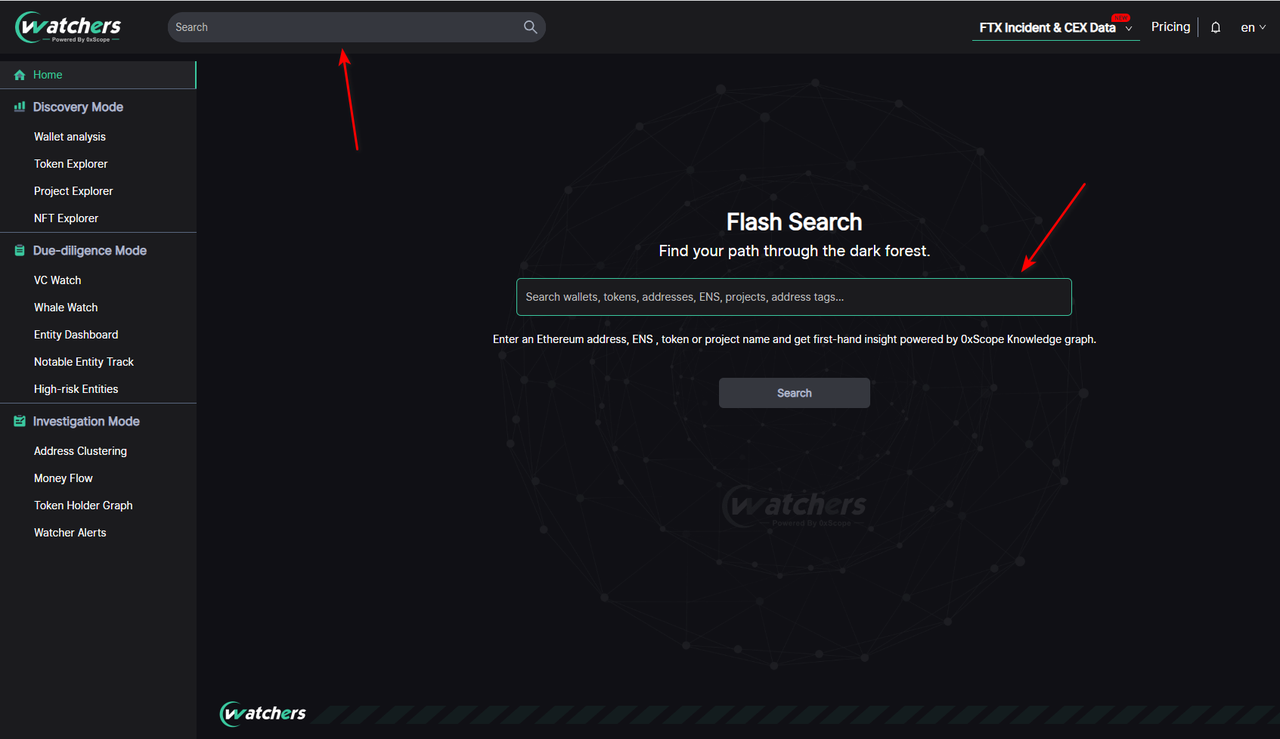
Start by entering a project name, in the home page search bar or the top navigation bar. And you will get:

<figure><img src="/files/CUIRKZPYoZIJfQUAQ1qO" alt=""><figcaption></figcaption></figure>

<figure><img src="https://ygyixithcq.feishu.cn/space/api/box/stream/download/asynccode/?code=NTA4ODZiNWE5MDBkMWMyNTNhYmY3ZTM4YjFjN2M0ODhfMWYwYXpxbE9lVzNWNVBhNFNIcUtRblZjV1hwTG5FTTdfVG9rZW46Ym94Y25BOElKTFhwUjVNTGoyOVpVdk1yNUNoXzE2NzQwMzM5MjQ6MTY3NDAzNzUyNF9WNA" alt=""><figcaption></figcaption></figure>

* **Basic information:**

Quick access to the project's website and social media. If the project has issued tokens, you can enter the token analysis page through the top right button.

<figure><img src="/files/jJmb3yluqG22lNSQv0d9" alt=""><figcaption></figcaption></figure>

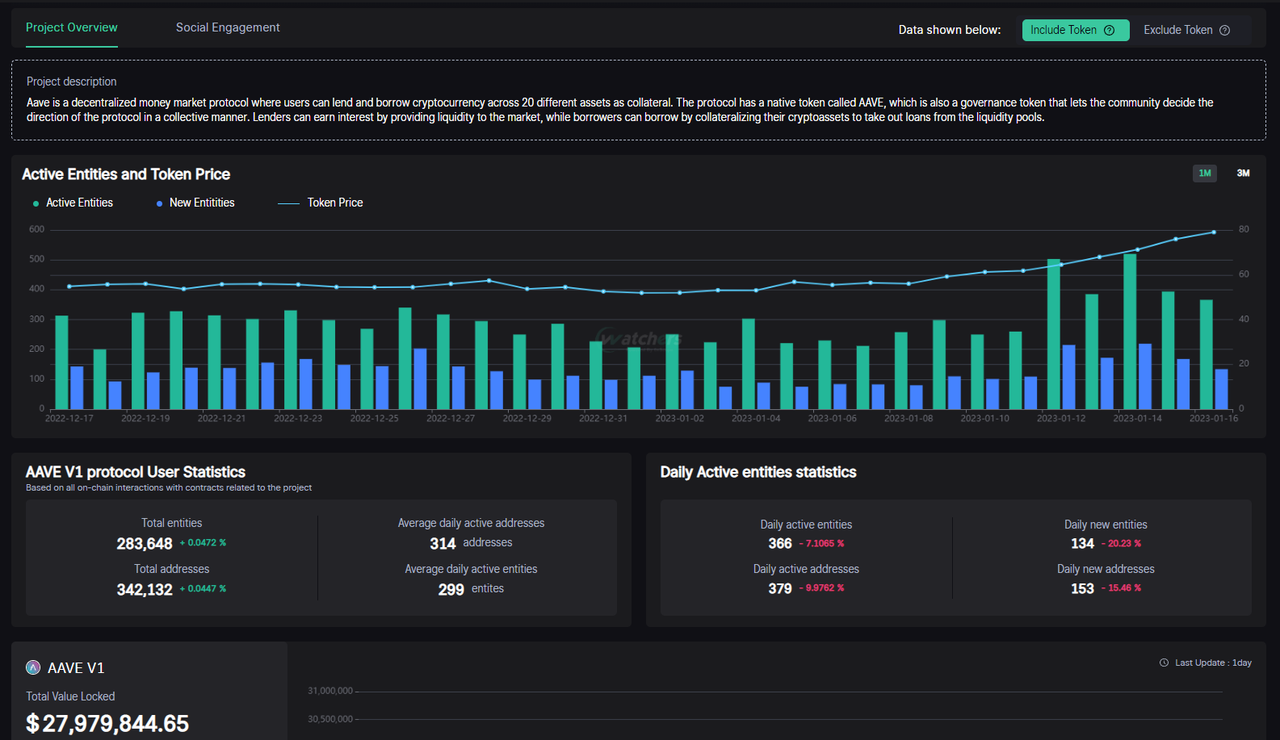
* **Project Overview**

This is an overview of the changes to the Users (Entities) and addresses of the project

<figure><img src="/files/4LzR06vSZy0FXR0nrCOM" alt=""><figcaption></figcaption></figure>

* **Active Entities and Token Price**

Visual representation of the daily active users, as well as daily active **new** users. Price action is over posed to since there tends to be a price action correlation with the usage of certain projects(most interesting in DeFi projects).

<figure><img src="/files/6FjTVsOSPrS3iGsxNIwb" alt=""><figcaption></figcaption></figure>

* **Total Value Locked**

Check the TVL fluctuation over time of a certain project. You can select different TVL counts based on your own interpretation of TVL.

<figure><img src="/files/l5PhuEm2AfU9bhsLACkG" alt=""><figcaption></figcaption></figure>

* **Social Engagement**

It analyzes users' attention to the project on Twitter, focusing on the official tweets of the project as well as the latest mentions and tweets of over +6000 crypto influencers.
<figure><img src="/files/43YFXr7GcGhyIxYbakMP" alt=""><figcaption></figcaption></figure>


---

# Agent Instructions: Querying This Documentation

If you need additional information that is not directly available in this page, you can query the documentation dynamically by asking a question.

Perform an HTTP GET request on the current page URL with the `ask` query parameter:

```
GET https://docs.scopescan.ai/features/discovery-mode/project-profile.md?ask=<question>
```

The question should be specific, self-contained, and written in natural language.
The response will contain a direct answer to the question and relevant excerpts and sources from the documentation.

Use this mechanism when the answer is not explicitly present in the current page, you need clarification or additional context, or you want to retrieve related documentation sections.